

How To:
Update to Profile
Thanks for being part of our network of thermal drone pilots! We’re working on some exciting updates for this deer season, and one of those changes is how we display your profile.
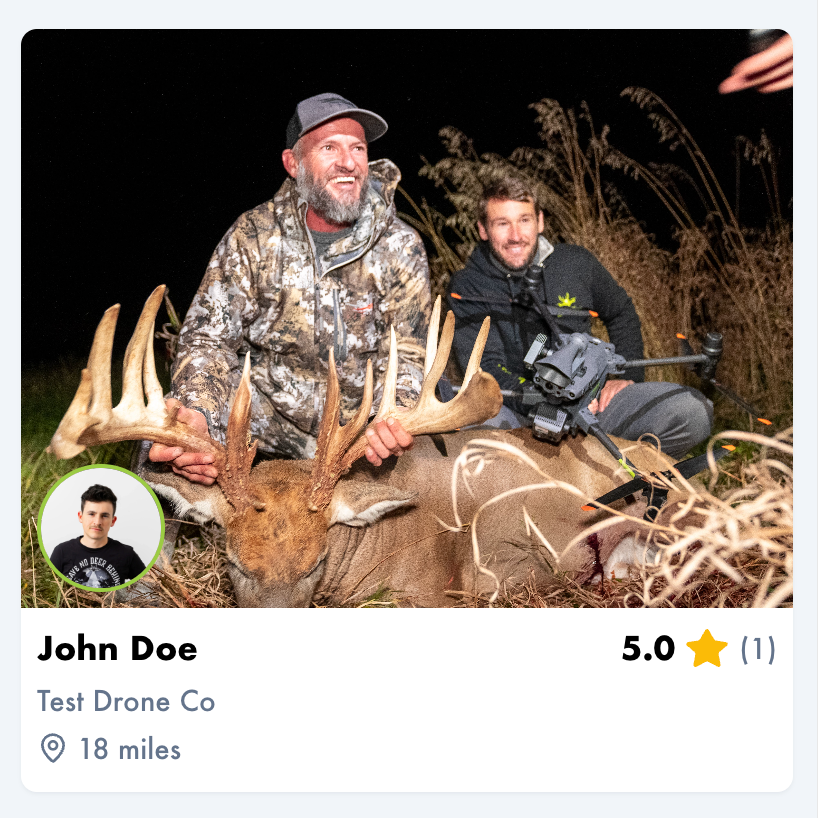
All New
Featured Photo
As we’ve seen with many modern websites, high quality photos are a critical part of selling products and services, so we’ve redesigned the profile card that is displayed in the list view. The new card will feature the first photo you’ve uploaded to your profile, and your headshot will be displayed as a smaller round photo in the bottom left corner.
Here is the redesigned card with a demo profile
Access Your Account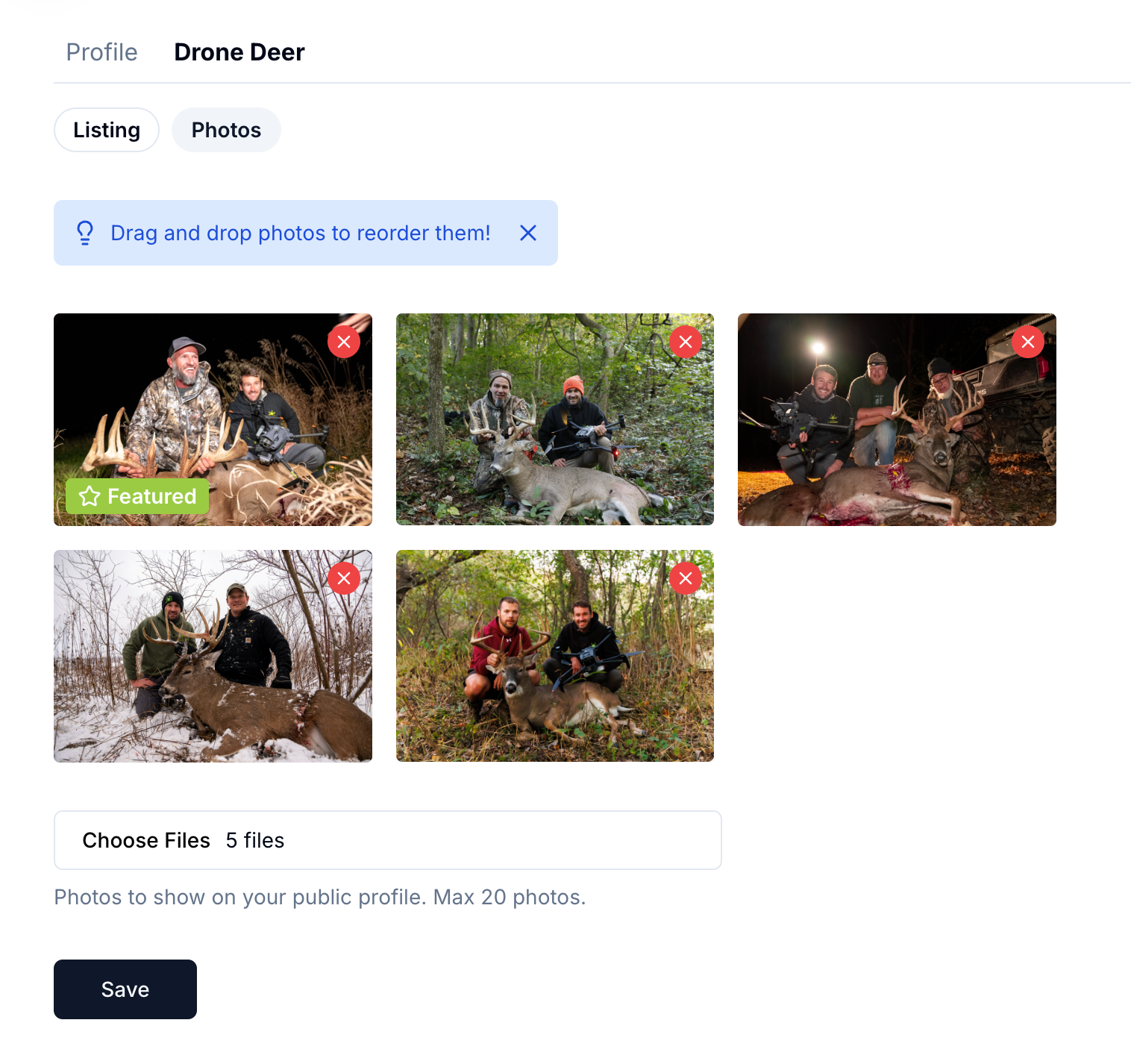
How to Set Featured Photo
To set your featured photo, go to your profile’s Drone Deer photos section and drag the photo you want to feature into the first spot. You’ll see a preview of your new profile card.
Access Your AccountHave More Questions?
Contact Us
Feel Free to reach out to us:
subscriptions@dronedeerrecovery.com if you didn't get an email about this or if you have questions.